LogoPop
Farirai Masocha / April 16, 2026
LogoPop: Fast App Icons and Favicons in the Browser
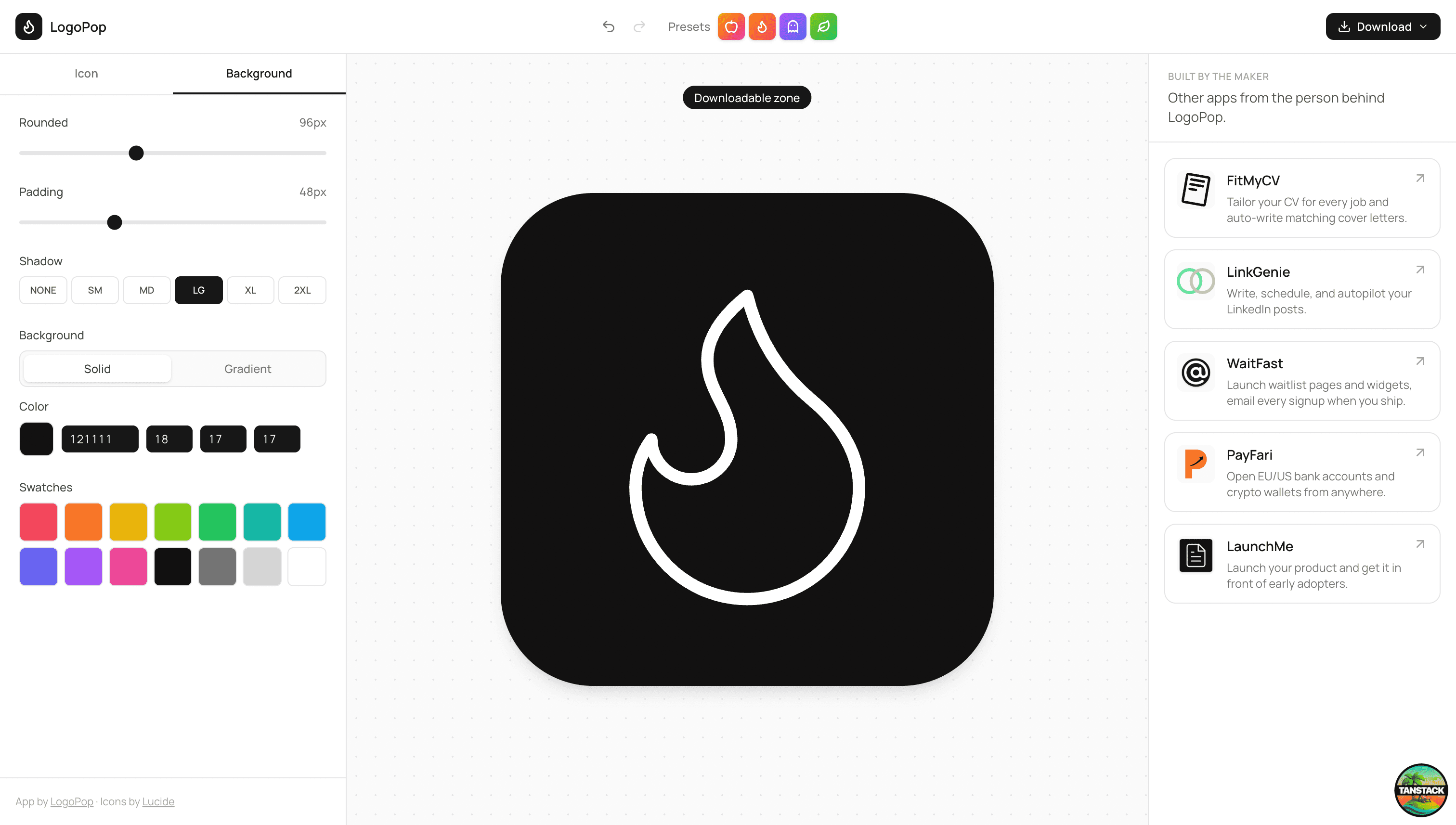
LogoPop is a browser-based logo builder for creating app-icon-style marks, favicons, and quick product logos without opening a design tool. Pick an icon, shape the background, tune the stroke and fill, then export the result as PNG, SVG, or ICO.
It is built for the moment when a project needs a clean icon now: a landing page, a side project, a browser tab favicon, a dashboard placeholder, or a product mockup that should feel more finished.
The Problem
Small projects often get stuck on branding too early. A full logo process is too much, but a blank favicon or default app icon makes the product feel unfinished. Most logo makers also push users through templates, accounts, upsells, or generic brand packs before they can download anything useful.
LogoPop keeps the loop short. The canvas is live, every control is visible, and the export button is always one click away.
How It Works
- Choose an icon - Search across the Lucide icon set or start from a preset.
- Tune the mark - Adjust size, rotation, stroke width, border color, fill color, and fill opacity.
- Shape the background - Switch between solid and gradient backgrounds, then set radius, padding, shadow, and gradient angle.
- Use AI when stuck - Describe the app and LogoPop suggests an icon, colors, sizing, shadow, and a short rationale.
- Download the asset - Export PNG for previews, SVG for scalable use, or ICO for favicons.
Key Features
Searchable Icon Library
LogoPop uses Lucide icons, giving the editor a clean, consistent visual language. Search narrows the icon grid quickly, while presets make it easy to start from a strong direction.
Live Visual Controls
The logo updates directly on the canvas as values change. Size, rotation, stroke, fill, background, rounding, padding, and shadow all stay editable, so the final mark can move from playful to sharp without changing tools.
AI Suggestions
The AI suggestion flow turns a short product description into structured logo settings. It chooses a Lucide icon, gradient colors, sizing, rotation, fill behavior, shadow, and background treatment, then applies those values to the editor.
Export-Ready Downloads
LogoPop exports the same design as PNG, SVG, and ICO. The ICO export includes multiple favicon sizes, so the asset is immediately useful for web projects.
Tech Stack
LogoPop is built with TanStack Start, React 19, Tailwind CSS, Lucide React, and html-to-image. The AI suggestion flow runs through a server function backed by Groq, with validation that keeps model output inside the editor's supported icon and styling ranges.
Visit logopop.fariraimasocha.co.zw.