Building LogoPop: A Fast Logo Builder for App Icons and Favicons
Farirai Masocha / April 16, 2026
Building LogoPop: A Fast Logo Builder for App Icons and Favicons
Every side project eventually needs a logo. Not a full brand system. Not a six-week identity process. Just a clean app icon, a favicon, and something that makes the product feel less like a scaffold.
I kept hitting that point with my own projects. The product was moving, but the default icon made the whole thing feel unfinished. Opening a design tool for a quick favicon felt like too much ceremony, and most logo generators wanted me to choose a template, create an account, or accept something that looked generic.
So I built LogoPop: a small browser-based logo builder for making app-icon-style logos quickly.
The Shape of the Tool
The core idea is simple: the editor should feel closer to adjusting a live component than designing from a blank page.
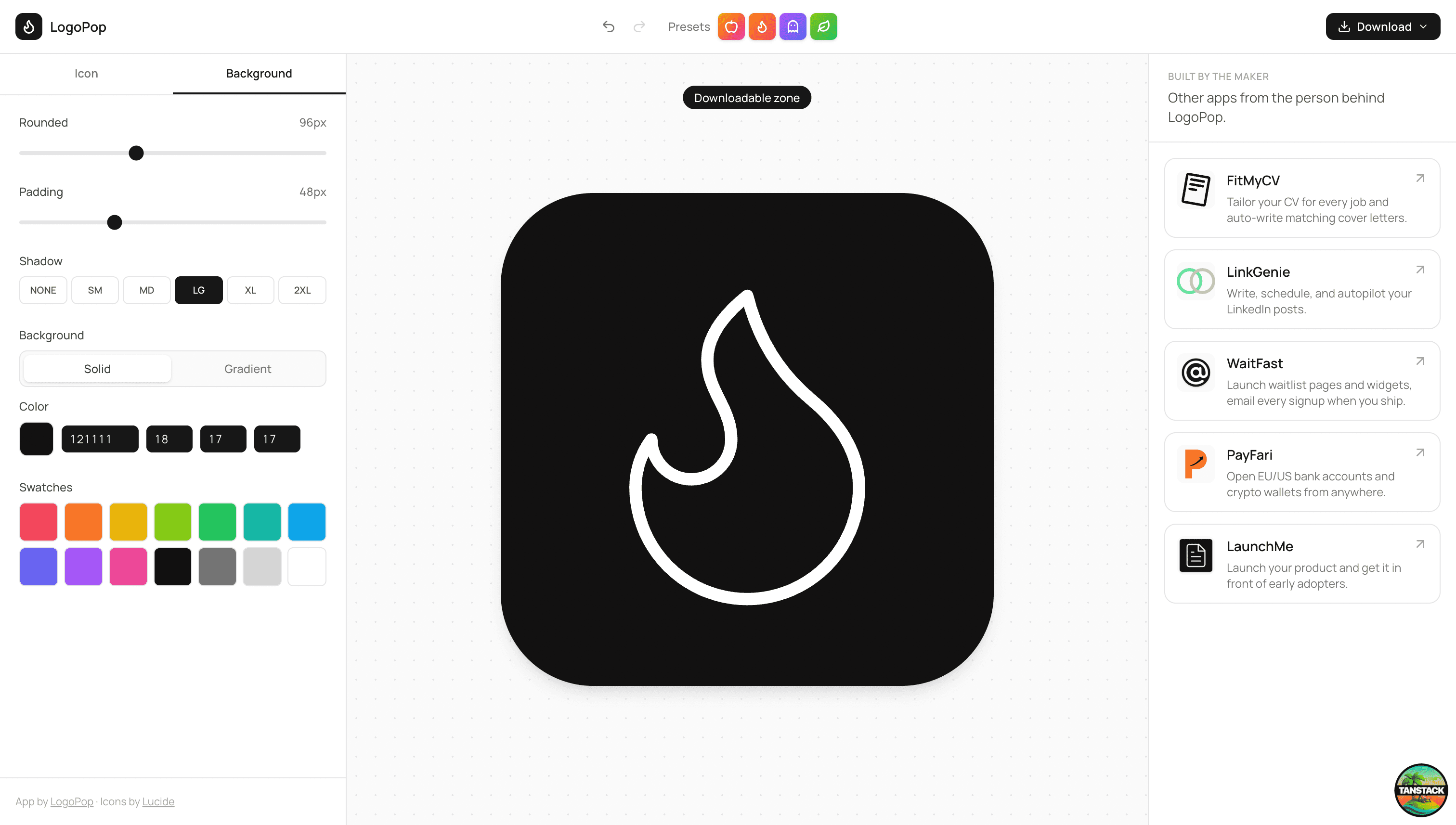
LogoPop gives you a 512 by 512 canvas, a searchable Lucide icon library, and a tight set of controls:
- Icon size, rotation, stroke width, stroke color, fill color, and fill opacity
- Background radius, padding, shadow, solid color, gradient colors, and gradient angle
- Presets for quick starts
- Downloads as PNG, SVG, or ICO
That scope matters. The goal is not to replace Illustrator or Figma. The goal is to produce a useful app icon in a few minutes and move on.
Why Lucide
I chose Lucide because the icon set is consistent, recognizable, and broad enough for product work. For a tool like this, consistency matters more than having every possible symbol. If icons come from different visual systems, the editor starts producing logos that feel patched together.
Lucide also works well as React components, which made the live preview straightforward. The selected icon can be rendered directly on the canvas, then controlled through normal props like size, stroke width, color, fill, and transform.
The Editor Loop
Most of the product is just state and immediate feedback.
The logo state tracks the selected icon, icon styling, background styling, and shadow level. The canvas reads that state and renders the result. The side panel writes to the same state through sliders, color pickers, search results, and preset buttons.
That direct loop keeps the app fast. There is no save step, no generation step, and no hidden preview mode. If you change the padding, radius, or gradient angle, the logo changes immediately.
AI as a Starting Point
The AI feature is there for the moment when you know the product but not the visual direction.
You describe the app, and LogoPop asks a Groq-backed server function for structured JSON: icon name, gradient colors, angle, stroke and fill settings, sizing, rotation, background radius, padding, shadow, and a one-sentence rationale.
The important part is that the model does not get to invent the whole UI. Its output is validated and clamped into the same controls the user can edit manually. If it suggests an icon name that does not exactly match Lucide, the app falls back to the nearest valid match or a safe default.
That makes AI useful without making it mysterious. It gives you a starting point, then the normal editor takes over.
Exporting the Result
For downloads, LogoPop uses html-to-image to capture the canvas. PNG export produces a high-resolution raster image. SVG export keeps the asset scalable. ICO export builds a favicon file by rendering the logo into multiple common icon sizes and packing them into one .ico.
That last piece was worth adding because favicons are one of the most common reasons to use a tool like this. A PNG is nice, but a ready-to-use favicon.ico removes one more tiny chore from shipping.
The Stack
LogoPop is built with TanStack Start, React 19, Tailwind CSS, Lucide React, and html-to-image. TanStack Start gives the app file-based routing and server functions, which keeps the AI suggestion endpoint close to the UI without turning the project into a larger backend.
The app is intentionally small. There is one main route, a focused editor surface, and a few utility modules for logo state, icon data, downloads, and AI suggestions.
What I Would Add Next
The next useful version would add saved designs, undo and redo history, and more export presets for app stores and social previews. I would also like to add a few background shape options beyond rounded squares while keeping the editor compact.
For now, LogoPop does the job I built it for: it turns a blank product icon into something usable in a few minutes.
Try it at logopop.fariraimasocha.co.zw.